Meta Description
A recent Google Antigravity glitch has reportedly erased users’ entire storage. Learn what happened, how the issue affects backups, and what steps you should take to protect your data.
Introduction
A surprising and alarming issue has surfaced as several users report that a Google Antigravity glitch caused their entire storage to be wiped out without warning. While Google’s Antigravity feature is designed to offer seamless syncing and intelligent data management, this unexpected malfunction has raised questions about reliability, data safety, and backup practices.
In this article, we break down what happened, how the glitch could affect users, and the critical steps you must take to protect your files.
What Exactly Is Google Antigravity?
Google Antigravity is an experimental cloud-based feature designed to automatically optimize your storage by relocating unused or redundant files. Its purpose is to keep your device light, fast, and clutter-free—almost like a “floating” file system.
However, according to new user reports, this system may have malfunctioned, leading to complete drive deletion in certain cases.
What Went Wrong?

Recent reports suggest that a glitch in the algorithm triggered a false “storage optimization” command. Instead of cleaning redundant data, the feature mistakenly interpreted entire folders—including important documents—as removable.
As a result, some users claim:
- All files were deleted instantly
- Backups were overwritten
- Folder structures disappeared
- Account activity logs showed unusual automated actions
Although the issue appears limited, even isolated cases raise major concerns about cloud storage reliability.
Who Is Affected?
From current reports, the glitch appears to be:
- Random and unpredictable
- Affecting users with Antigravity auto-sync enabled
- More common on accounts recently updated to the latest cloud patch
Google has not issued an official statement yet, but technical forums and user communities have been discussing the problem actively.
How to Check if You’re at Risk
If you’re using Google Antigravity and automatic “smart cleanup,” you should immediately:
1. Check recent sync activity
Look for unexpected deletions or bulk operations.
2. Inspect your Trash / Bin
Some files may still be recoverable if the clean-up didn’t permanently remove them.
3. Disable Antigravity Smart Cleanup (temporarily)
Until an official patch or announcement is released.
4. Review connected devices
Ensure no unauthorized access triggered the issue.
How to Protect Your Data Going Forward
To safeguard yourself against similar incidents:
✔ Create offline backups regularly
Local drives remain the most reliable form of personal archiving.
✔ Use multiple cloud providers
Redundancy ensures that if one platform fails, your files remain safe elsewhere.
✔ Enable version history
Some platforms allow recovery of older versions even after deletion.
✔ Keep Antigravity disabled until stable
This reduces the risk of automated actions.
Should You Be Worried?
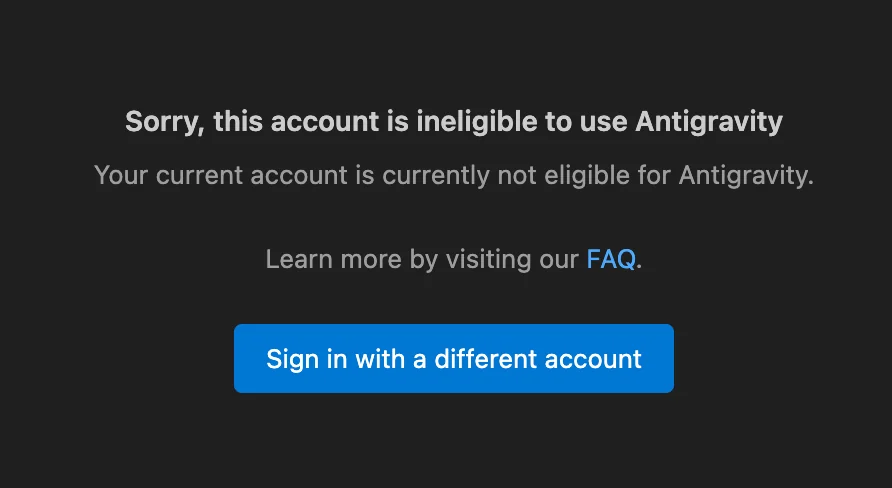
Not necessarily—but you should be cautious. While cloud systems are usually secure, glitches like this highlight the importance of having layered backups. Even major tech companies can experience unexpected failures.
If you depend heavily on cloud storage for business, work, or personal data, this incident is a reminder to diversify your backup strategy.
Conclusion
The Google Antigravity glitch that reportedly deleted full user storage is a wake-up call about the vulnerabilities of automated cloud systems. While the issue may be isolated, it emphasizes the need for smarter backup habits and awareness of experimental features.
Stay alert, keep backups in place, and watch for updates or official responses that may clarify the root cause.