Meta Description:
Discord Checkpoint 2025 is here, offering a fun year-in-review for gamers and chatters. Learn what it includes, how to check yours, and why this new feature has everyone talking.
Discord has finally launched Discord Checkpoint 2025, its first-ever personalised end-of-year wrap-up that gives users a clear look at how they spent their time on the platform. For millions of gamers and community members, Discord is more than just a chat app—it’s a place to talk, play, and hang out daily. Now, with Checkpoint, users can revisit their entire year in a simple, engaging recap that feels both fun and nostalgic.
This is Discord’s first attempt at a feature similar to Spotify Wrapped, and it has arrived just in time to celebrate the platform’s 10th anniversary. While the company has not promised that Checkpoint will return annually, it has hinted that the feature “may evolve beyond 2025,” depending on how the community responds.
What Makes Discord Checkpoint Special?
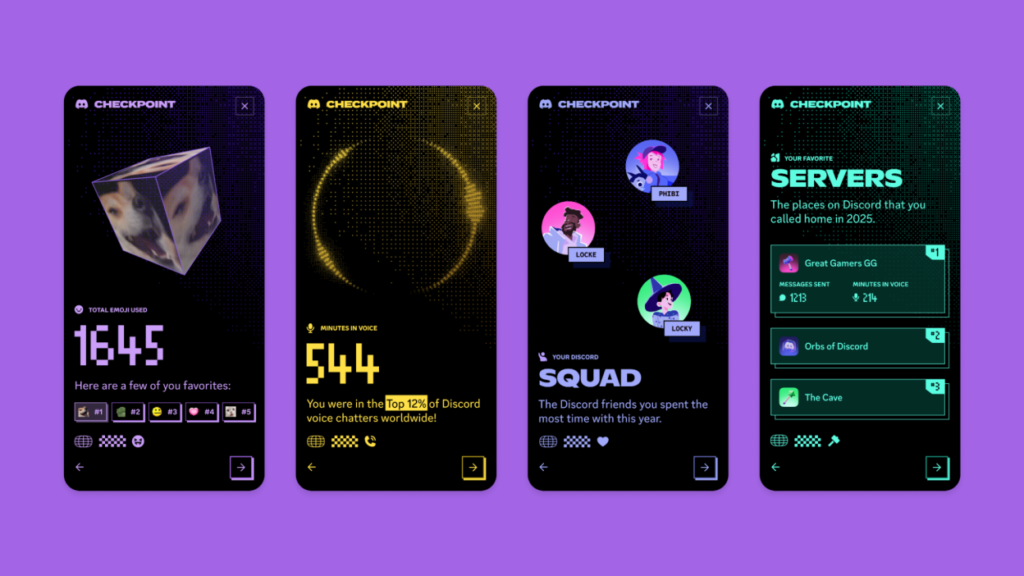
Discord Checkpoint gathers and organises your activity from the entire year. Instead of guessing how many hours you spent chatting, gaming, or sharing memes, Checkpoint displays personalised insights such as:
- Total hours spent in voice chats
- Friends you talked to most
- Your favourite servers and communities
- Most-used emojis
- Most-played games across the year
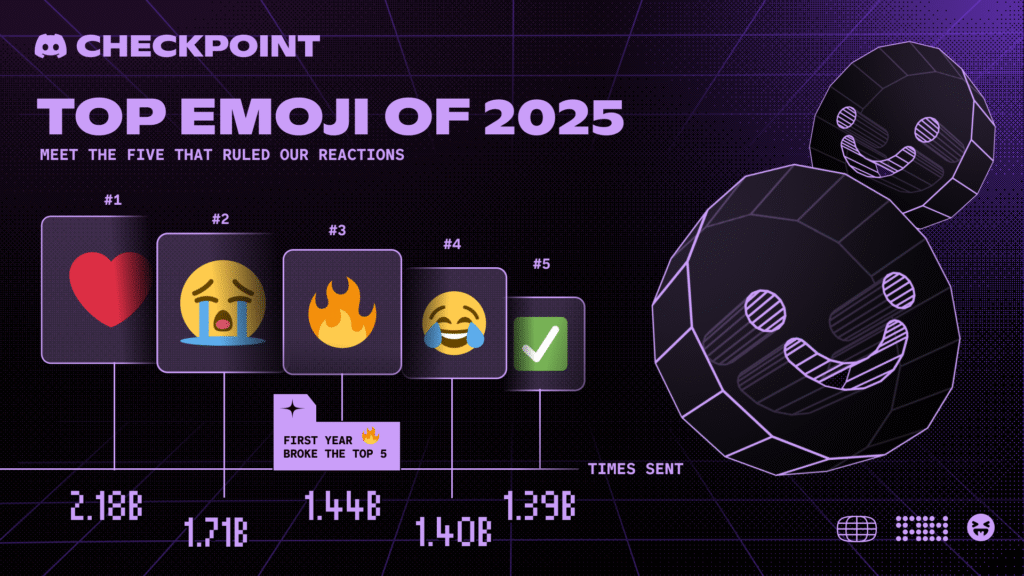
These stats capture your habits across the platform and highlight the friendships and communities that shaped your 2025. Many users are already sharing their Checkpoints online, revealing surprising trends—even globally, the red heart emoji remains the most-used emoji among Discord’s 200 million active monthly users.
How to Access Your Discord Checkpoint 2025
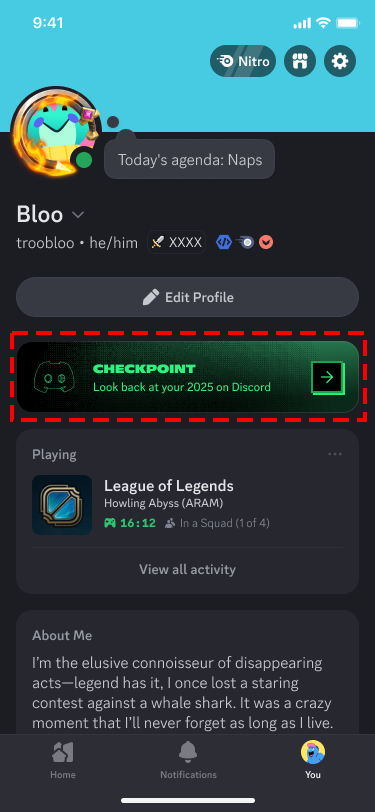
Discord has made it simple to view your personalised recap.
Desktop
- You should automatically see a pop-up directing you to your Checkpoint when you open the app.
- If not, click the flag icon located in the upper-right corner.
Mobile
- Tap the You icon in the bottom-right.
- Look for the green Checkpoint banner to open your recap.
If your Checkpoint isn’t showing, double-check that your app is updated. Desktop typically updates automatically, while mobile may require a manual update.
Why You Might Not Have a Checkpoint
Not every user will receive a year-in-review. To view your Discord Checkpoint, you must:
- Have been active on Discord throughout 2025
- Enable “use data to personalise your Discord experience” in your privacy settings
New users or those with very limited activity will not have enough data to generate a meaningful recap.
Discord Checkpoint vs. Other Year-End Recaps
Here is a quick comparison to understand how Checkpoint stacks up against other popular wrap-ups:
| Feature | Discord Checkpoint | Spotify Wrapped |
|---|---|---|
| Focus | Gaming, chats, servers, emojis | Music listening habits |
| Sharing | Direct sharing inside Discord | Social media sharing |
| Availability | Active users with data | All users with listening history |
| Purpose | Celebrate 10 years of Discord | Annual tradition |
Share Your Checkpoint Before It’s Gone
Users can share their Checkpoint directly from the final page or screenshot it for social media. Discord is also offering a temporary profile frame to anyone who views their recap. However, both the Checkpoint and the frame will disappear on January 15, so make sure to check yours soon.
Discord Checkpoint 2025 is more than a summary—it’s a celebration of your year, your friends, and the moments you spent together online. For gamers, creators, and community lovers, it’s a feature that feels long overdue and one many hope becomes a yearly tradition.